
To create a conversion in Knotch One:
Click the “+” button in the Conversions section
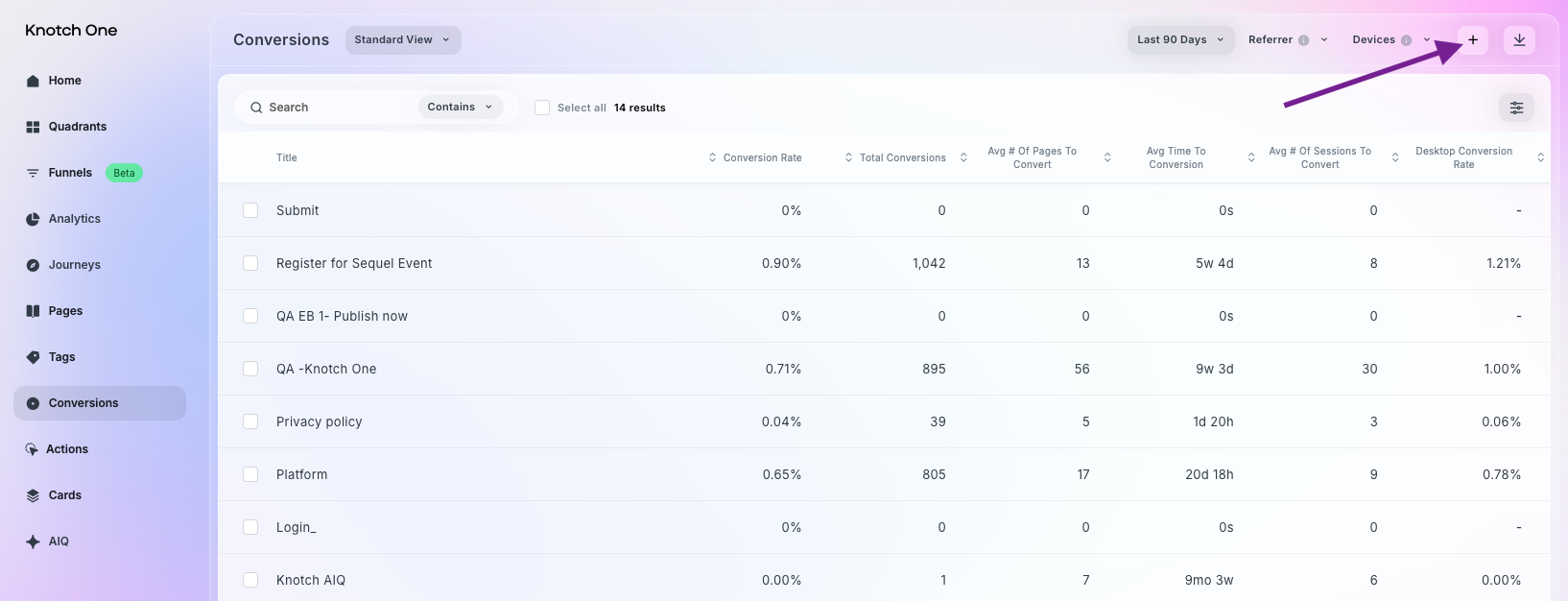
Use the Event Builder to define your rules
Choose the Element Attribute
Element Text — the visible text content of elements
Page URL — the pages URL where the element appears
Destination URL — the URL users are directed to when they interact with an element
Element ID — the unique HTML identifier of the element being tracked
Class — the CSS class name assigned to the element
Specify your logic: Contains or Equals
Add your value for the element attribute. For example, if you select Element Text and are looking for a matching button on your site, you would add the button text (e.g., Get a demo)
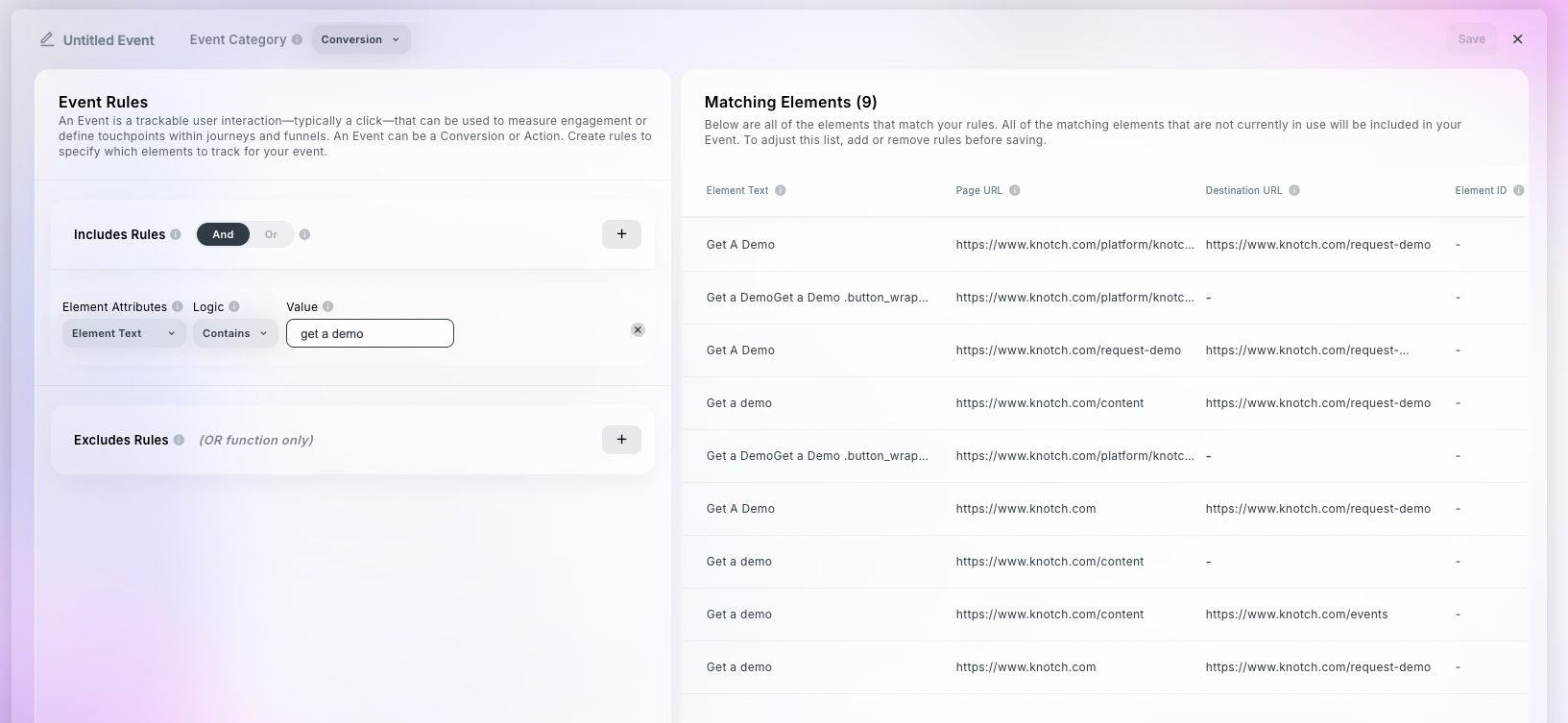
Optional: add Excludes rules to exclude any matching elements from tracking
Check the Matching Elements table to confirm that you are tracking the right interactions
Add a name for your Conversion
Click Save to finish setup
Your new conversion will begin tracking immediately and appear in your dashboard as soon as data is collected (which may take up to 3 hours).
Within Event Builder, an Event is a trackable user interaction—typically a click—that can be used to measure engagement or define touchpoints within journeys and funnels. An Event can be a Conversion or Action. Create rules to specify which elements to track for your event.