
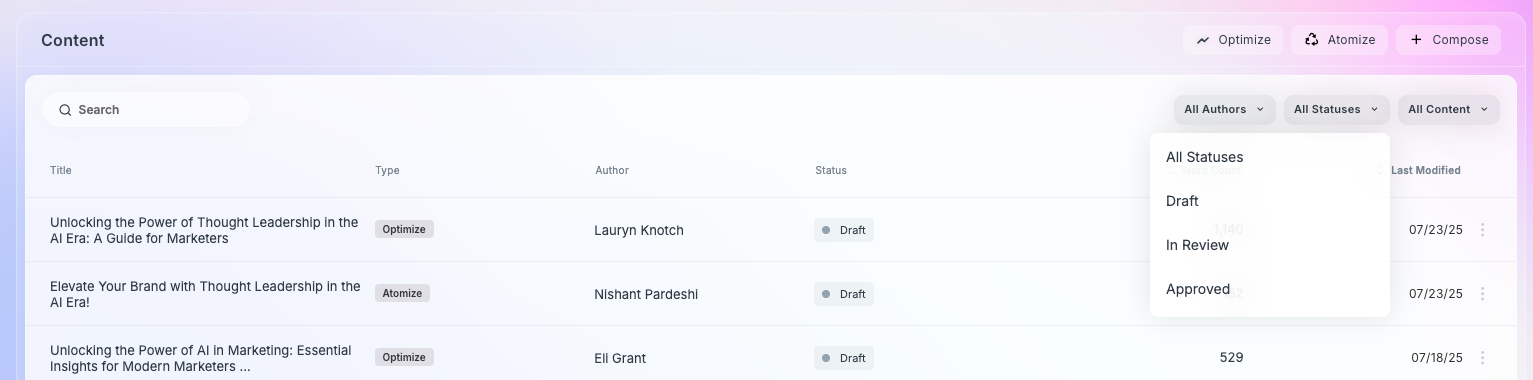
Filters in AIQ help you quickly narrow down your content list to what’s most relevant. Whether you're trying to review content by a specific teammate, check on in-progress drafts, or focus on a certain type of AIQ workflow (Optimize, Atomize, Compose), these filters make it easy to locate and manage your content effectively.
All Authors
Definition: allows AIQ-generated content to be filtered by the author (the Knotch user) who created the content.
Impact on Leaderboard: Shows AIQ-generated content for only that author.
Example: John Smith
Marketer’s Question: “What content did Mike create?”
All Statuses
Definition: allows AIQ-generated content to be filtered by the content’s status (Draft, In Review, Approved).
Impact on Leaderboard: Shows AIQ-generated content for only that status.
Example: Draft
Marketer’s Question: “Which content is still in review?”
All Content
Definition: allows AIQ-generated content to be filtered by the content type within AIQ (Atomize, Optimize, Create New Content).
Impact on Leaderboard: Shows AIQ-generated content for only that content category.
Example: Optimize
Marketer’s Question: “What content have we created through Atomize?”