Event Builder gives you greater control and clarity when creating Conversions and Actions by allowing you to target specific elements across one or more pages.
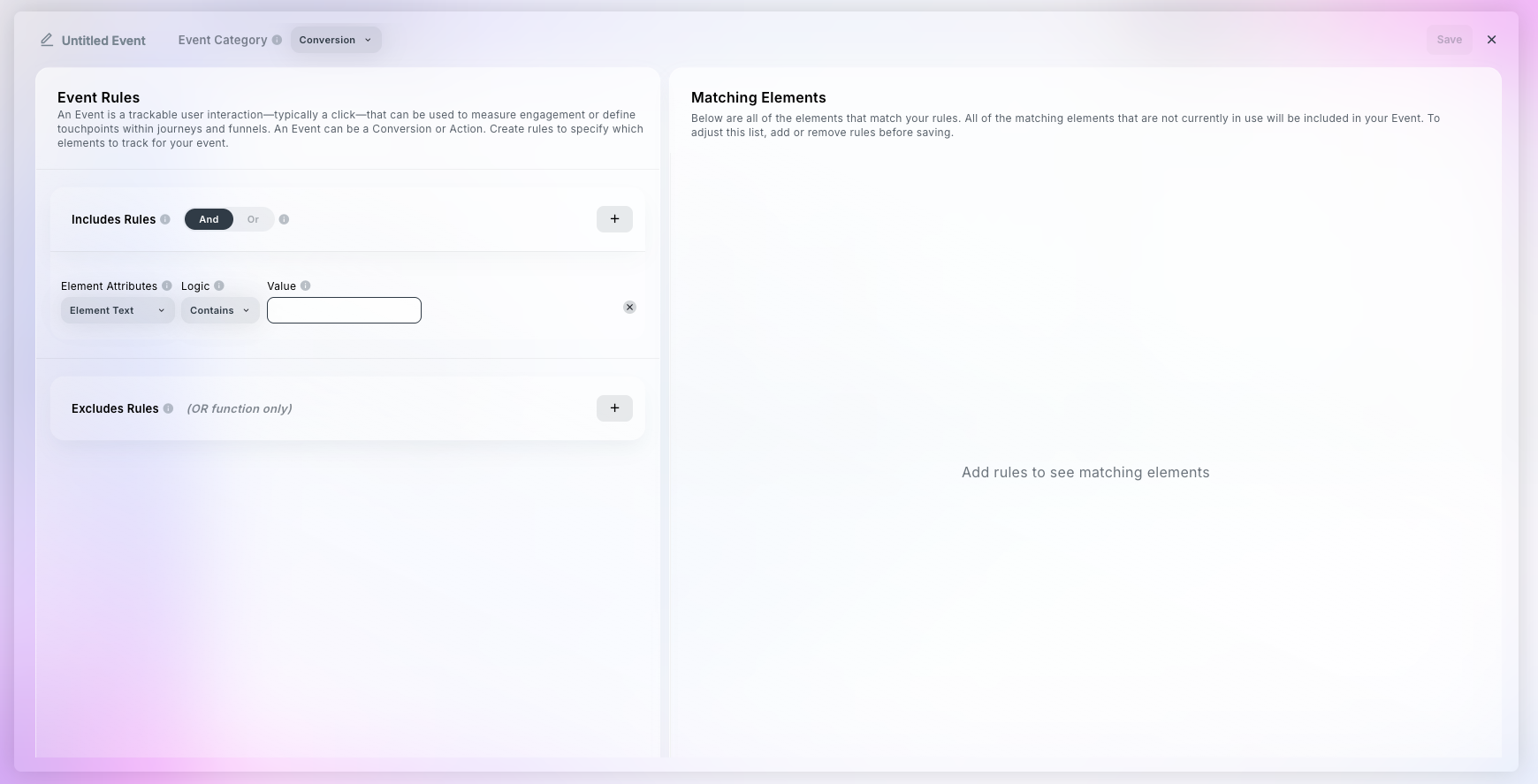
Event
Definition: An Event is a trackable user interaction—typically a click—that can be used to measure engagement or define touchpoints within journeys and funnels.
Types: An Event can be a Conversion or Action.
Event Category (Conversion vs Action)
Definition: Defines the type of user behavior being tracked.
Types:
Conversion = meaningful goal (e.g., form completion).
Action = interaction that shows engagement but not necessarily goal completion.
Notes:
Affects how the event is categorized and analyzed in reports.
Switching the category mid-setup does not clear your rules.
Includes Rules
Definition: Creating inclusion rules allows you to search for matching elements that meet certain criteria.
Notes:
Users can add several includes rules until their matching elements reflect the correct elements for their event.
Element Attributes
Definition: The attributes that must be present for an element to be tracked—like text, class, ID, or URL.
Types:
Element Text - searches the Element Text of elements (existing – previously labeled “text”)
Page URL - searches the page URL where the element exists/is clicked (NEW)
Destination URL - searches the destination/Destination URL where the visitor is taken after clicking (existing, previously labeled URL)
Class - searches the the content of all element classes (existing)
Element ID - searches the the content of all element IDs (existing - previously labeled “ID”)
Notes: Users can use multiple Element Attributes to surface the correct matching elements.
Logic
Definition: Specify whether the attribute value must exactly equal the input or simply contain it. Use equals for exact matches and contains for partial matches.
Types: Equals, Contains
Value
Definition: The specific text or value for the Element Attribute that must be matched for this rule to apply.
Types: text field – for example, “get started”
Notes: user will enter a value based on the Element Attribute they select
Excludes Rules
Definition: Use exclusion rules to filter out matching elements that meet certain criteria. When these exclusion rules are applied, any matching elements are ignored by the Conversion/Action event and not included in measurement.
Types: Exclude rules use the same format as Includes: Element Attributes, Logic, Value
Notes:
These rules take priority over includes.
Exclusion Rules (as a group) are tracked using OR logic.
Matching Elements
Definition: All of the elements that match your rules.
Notes:
All of the matching elements that are not currently in use will be included in your Event.
To adjust the matching elements list, add or remove rules before saving.
